Hi there,
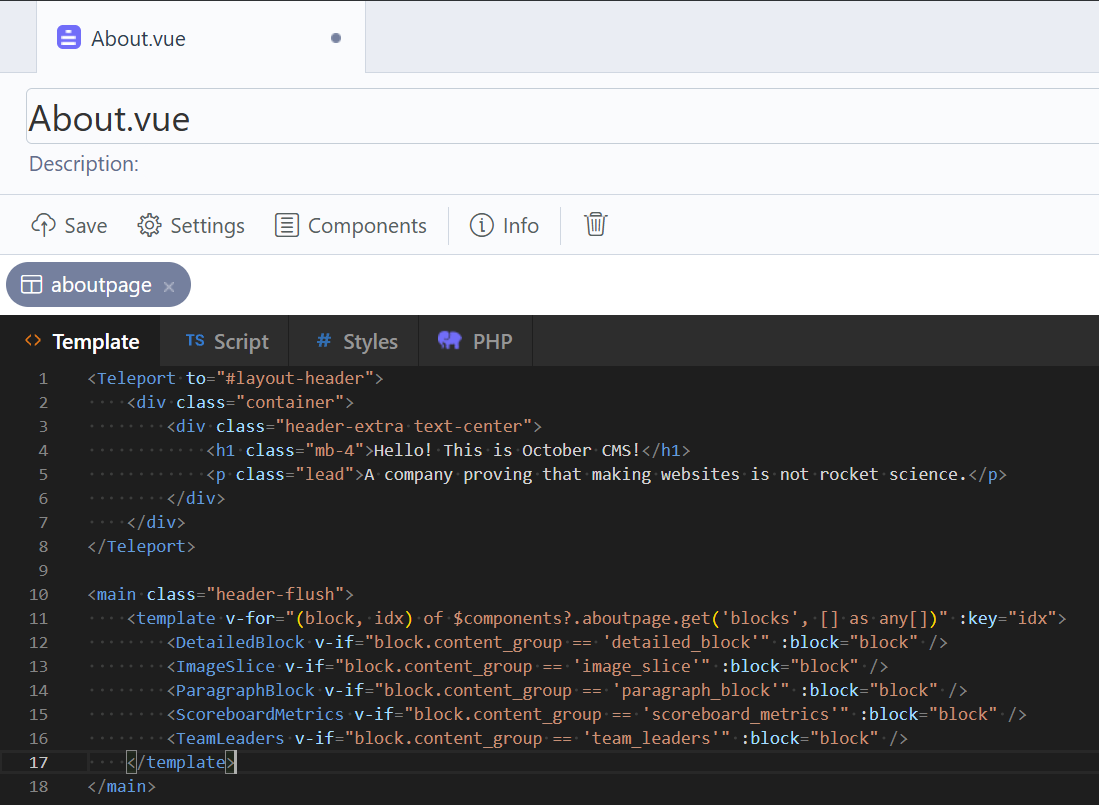
I’m currently working on LAIKA, an experimental Vue adapter-bridge for OctoberCMS. Its goal is to bring October’s native templating features (Components, Partials, Content blocks, Snippets) directly into the Vue runtime, including support for partial reloads and AJAX handlers.
It takes inspiration from inertia.js, but is built specifically for OctoberCMS + Vue.
(No React or Svelte support planned.)
LAIKA is still a work in progress, but it’s already functional enough that you can try it out, break it, or tell me where it hurts. Feedback is very welcome.
Links
Installation
The plugin isn’t available on the October Marketplace yet, so installation is currently Git-only:
php artisan plugin:install RatMD.Laika --from="git@github.com:ratmd/laika-plugin.git" --want=dev-master
Example Theme Layout
Similar to Inertia, the base layout needs the laikaHead, vite, and laika tags.
Show Code
##
[staticMenu socials]
code = "social-menu"

[staticMenu main]
code = "main-menu"
==
<html lang="{{ this.locale }}" class="no-js">
<head>
    <meta charset="UTF-8" />
    <meta http-equiv="X-UA-Compatible" content="IE=edge" />
    <meta name="viewport" content="width=device-width, initial-scale=1.0" />
    {% laikaHead %}
    {% vite(['resources/theme.ts']) %}
</head>
<body class="theme-{{ this.theme.id }} page-{{ this.page.id }} layout-{{ this.layout.id }}">
    {% laika %}
    <script src="{{ ['@framework']|theme }}"></script>
</body>
</html>
Example CMS Page
Define your static content and page components as usual in the CMS Page and ensure it extends the appropriate layout.
Show Code
##
url = "/"
layout = "base"
visible = true
description = "Homepage"

title = "Homepage"
meta_title = "Homepage"
meta_description = "Welcome to my awesome homepage."

[blogPosts]
postsPerPage = "5"
postPage = "post"
==

<div class="w-full max-w-2xl mx-auto text-center flex flex-col gap-4">
    <p>
        Some Static Content
    </p>
</div>
Example theme.ts
Create the Laika application much like you would create an Inertia app.
Show Code
import './styles/theme.css';

import type { ResolveResult } from "../../../plugins/ratmd/laika/resources/types";
import { createApp, h } from "vue";
import { createLaikaApp } from "../../../plugins/ratmd/laika/resources/laika";

async function main() {
    createLaikaApp({
        title(title: string) { return title; },
        resolve(name: string) {
            const pages: Record<string, ResolveResult> =
                import.meta.glob('./pages/**/*.vue', { eager: true });

            if (`./pages/${name}.vue` in pages) {
                return pages[`./pages/${name}.vue`];
            } else if (`./pages/${name}Page.vue` in pages) {
                return pages[`./pages/${name}Page.vue`];
            }

            throw new Error(`Laika: Vue Page component for "${name}" not found.`);
        },
        setup({ App, root, props, plugin }) {
            const app = createApp({ render: () => h(App, props) });
            app.use(plugin);
            app.mount(root);
            return app;
        }
    });
}

main();
Example HomePage.vue
Use LAIKA’s PageContent or PageComponent to render CMS output inside Vue. For navigation, call $laika.visit() or use the useLaika composable for full access to the payload and runtime.
Show Code
<template>
    <div class="w-full flex flex-col gap-4">
        <div class="w-full border-b border-gray-200">
            <div class="w-full max-w-6xl mx-auto py-8 px-6">
                <PageContent />
            </div>
        </div>

        <div class="w-full">
            <div class="w-full max-w-6xl mx-auto py-8 px-6 flex flex-col gap-4">
                <PageComponent name="blogPosts" v-slot="{ vars }">
                    <template v-if="vars.posts.data.length == 0">
                        {{ vars.noPostsMessage }}
                    </template>
                    <template v-else>
                        <div class="grid grid-cols-2 grid-rows-2">
                            <div v-for="(post, idx) of vars.posts.data" :key="post.id" :class="{
                                'row-span-2': idx === 0
                            }">
                                <a :href="post.url" :class="[
                                    'relative rounded-xl overflow-hidden',
                                    'cursor-pointer'
                                ]" @click.prevent="$laika.visit(post.url)">
                                    <template v-if="post.featured_images && post.featured_images.length > 0">
                                        <img
                                            :src="post.featured_images[0].path" :alt="post.featured_images[0].title"
                                            class="aspect-3/2 object-cover rounded-xl overflow-hidden" />
                                    </template>
                                    <div class="absolute left-0 right-0 bottom-0 p-4 rounded-b-xl bg-black/25">
                                        <strong class="font-semibold text-white">
                                            {{ post.title }}
                                        </strong>
                                    </div>
                                </a>
                            </div>
                        </div>
                    </template>
                </PageComponent>
            </div>
        </div>
    </div>
</template>

<script lang="ts" setup>
import BaseLayout from '@/layouts/BaseLayout.vue';
import { PageContent, PageComponent } from '../../../../plugins/ratmd/laika/resources';

// Define Component
defineOptions({ layout: BaseLayout });
</script>
Feedback Welcome
LAIKA is still under active development, so any feedback, ideas, or bug reports are highly appreciated.
Thanks.